
This article shows how to combine Referral Codes and WooRewards so that every customer gets a short code to share, their friends get a discount on their cart, and the customer who shared the code earns loyalty points each time a friend buys.
1. The scenario
You sell skincare products. Your best customers already talk about your shop. You want to give each of them a code they can say out loud or post anywhere, like JULIE, rather than a long referral link.
- The friend types JULIE in the coupon field and gets 10% off the cart.
- Julie earns 1 point for every dollar her friends spend, and spends those points on her own carts.
Referral Codes handles the code and the friend’s discount. WooRewards handles the points. The WooRewards Sponsorship options link the two: a friend who uses Julie’s code becomes Julie’s referee in WooRewards.
2. What you need
- Referral Codes
- WooRewards. The free version is enough for the link and for points on referee orders. WooRewards Pro adds the Referral Code origin filter used in step 4.
- Buying both gives you the Play Together discount.
3. Set up the code and the friend’s discount
- In Entry points, check Read Referral Code in Coupon field, so the friend can type the code where they type any coupon. See Let Customers Enter a Referral Code in the Coupon Field.
- In Referee cart discount Reward, set Mode to Percent and Value to 10. See Referee cart discount Reward.
- In WooRewards Sponsorship, check Enable: a friend who uses a code becomes the code owner’s referee in WooRewards. Check Override relationship if a code should win over an earlier referral link or email; leave it unchecked to keep the first referrer. Check Repeat code to add the same code automatically to the friend’s next orders, so Julie keeps earning on them.
A logged-in friend is linked as soon as the code is applied. A guest is linked when the order is placed or when the guest creates an account.
4. Reward the code owner with points
Open your points and rewards system, or create one, then add a points action:
- Choose Referee spends money.
- Set Money spent to 1 and Earned points to 1. Points are counted on the order subtotal before the friend’s discount; turn on Use amount after discount to count them after it.
- With WooRewards Pro, set Referral Origin to Referral Code. Only friends who came with a code then earn points for their referrer; friends who came with a referral link earn nothing here. Leave it empty to reward every kind of referral.
Then add the reward Julie spends her points on, for instance Points on Cart. The Referrals tutorial shows a complete referrer program with levels.
5. What your customers see
Julie finds her code in the Referral tab of My Account, or wherever you placed the [referral_code] shortcode.
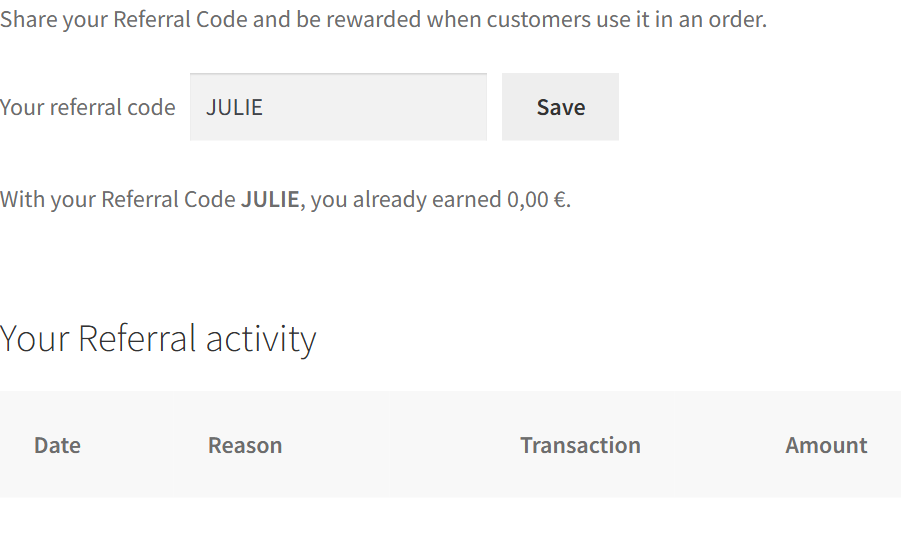
The amount you already earned on this tab counts only the Referral Codes referrer reward. Points earned in WooRewards show in the Loyalty and Rewards tab.
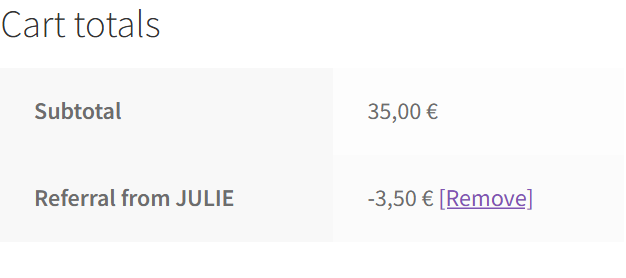
Her friend types JULIE in the coupon field:

and the 10% discount appears in the cart as Referral from JULIE:
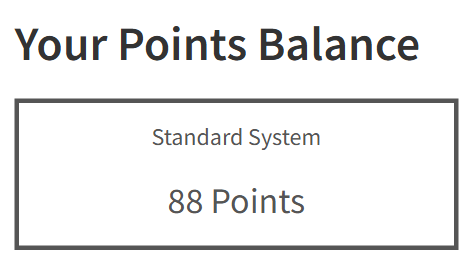
Once the order is paid, Julie’s balance goes up in her Loyalty and Rewards tab, and her points history shows that her referred friend spent the order amount.
6. Variants
- Reward only the first order: use Referee orders with First order only instead of Referee spends money.
- Reward the friend’s sign-up: Referee registration (WooRewards Pro).
- Pay the code owner in wallet money rather than points: the Referral Codes referrer reward offers Wallet Money with Virtual Wallet. See Referrer Reward.